
For the longest time, I blamed every missed shot on my sensitivity. Too fast, too slow, not quite right — I must have changed it a hundred times. Sound familiar?
After spending a lot of time working through this, I can tell you one thing with confidence: 99% of players below the top ranks have a sensitivity that is holding them back. Not because they picked the wrong number — but because they never had a method to find the right one.
This guide is the method I use. It connects three things that belong together: sensitivity, crosshair, and your physical setup.
Step 0: Fix Your Playing Environment First
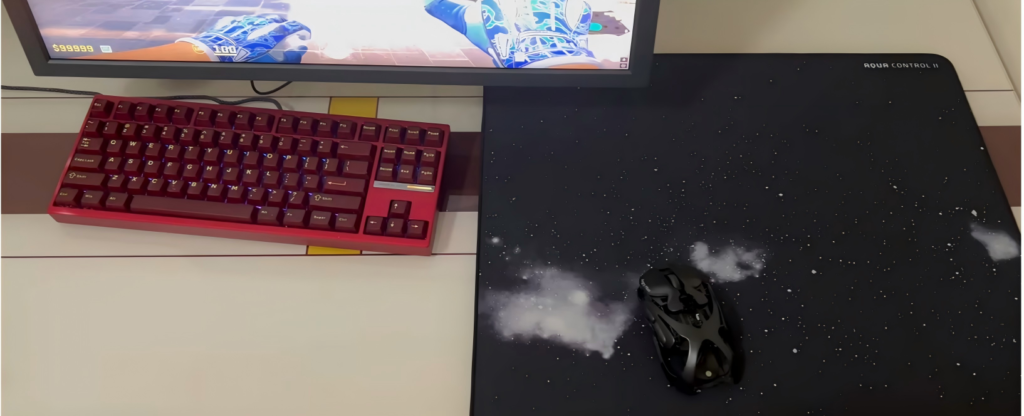
Before you touch any slider, look at your desk. This is the most overlooked factor in sensitivity.
- Your mousepad should be at least 450mm wide — anything smaller forces you into a high sensitivity you do not actually want
- Nothing should block the edges of your mousepad — no keyboard tray edges, no monitor stands, no clutter
- Your forearm should have room to swing freely. If you are hunched or restricted, you will subconsciously hold back your aim
A small desk forces high sensitivity. It is like learning to swim in a bathtub. Fix your space first, then fix your sens.
The Pro Sensitivity Range: A Data Point, Not a Rule
I looked at what the pros use, converted everything to 800 DPI equivalent, and found a clear pattern:
| Player | DPI | In-Game Sens | eDPI (800 DPI equivalent sens) |
|---|---|---|---|
| donk | 800 | 1.25 | 1.25 |
| NiKo | 1600 | 0.42 | 0.84 |
| ZywOo | 400 | 2.0 | 1.0 |
| m0NESY | 400 | 2.3 | 1.15 |
Every pro falls between 0.8 and 1.35 when converted to 800 DPI. If you are way outside this range, you are not “high sens” or “low sens” — your sensitivity is probably wrong. Stay inside this window and you are in the right ballpark.
My Two-Step Method to Find Your Sensitivity
Step 1: The 180-Degree Turn Test
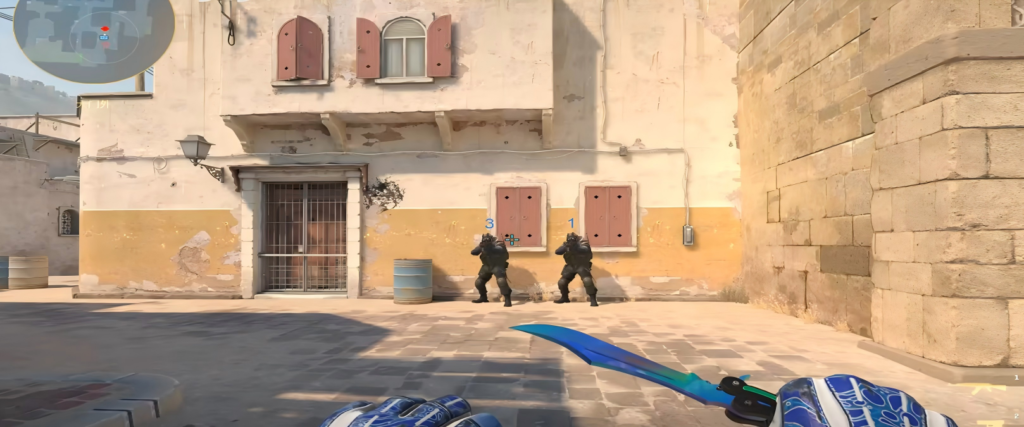
Place two bots in front of you and two behind. Shoot the front one, then whip around and shoot the back one. Use your forearm, not your wrist.
- If you consistently overshoot past the bot → your sens is too high
- If you come up short and hit the edge of your mousepad → your sens is too low
Adjust in small increments (0.05-0.1) until a 180-degree flick feels natural and lands near the target every time.
Step 2: The Crosshair Follow Test
Walk around a bot in a circle. Keep your crosshair on its head at all times. Move in and out, vary your speed.
- If your crosshair over-swings past the head → your sens is still a touch high
- If you lag behind or the movement feels stiff → your sens is a touch low
The right sensitivity should feel like the crosshair is glued to the target with minimal effort. Your hand should be relaxed but engaged.
The Sensitivity and Crosshair Connection
Here is something I only realized after testing a lot of setups: your crosshair choice and your sensitivity need to match.
A tiny crosshair with extreme negative gap (like donk’s -4.5) works great at 1.25 sens / 800 DPI because the aiming is precise and controlled. But if you use the same crosshair with a higher sensitivity, you will lose it during fast flicks — it simply disappears into the environment.
Here is what I recommend based on your sensitivity range:
| Sensitivity Range (800 DPI equiv.) | Recommended Crosshair Style | Recommended Gap |
|---|---|---|
| 0.8 – 1.0 (slower / precise) | Small crosshair, tight gap | -3 to -5 |
| 1.0 – 1.2 (balanced) | Medium-small, visible gap | -2 to 0 |
| 1.2 – 1.35 (faster / aggressive) | Larger gap for visibility during fast flicks | 0 to +2 |
The logic is simple: higher sens = more movement = need more visual feedback from your crosshair. Lower sens lets you get away with a tiny crosshair because your movements are smaller and more controlled.
You can test different combinations in the Crosshair Generator — try matching your sens range with the recommended gap and see how it feels.
The Mental Trap: Stop Blaming Your Sensitivity
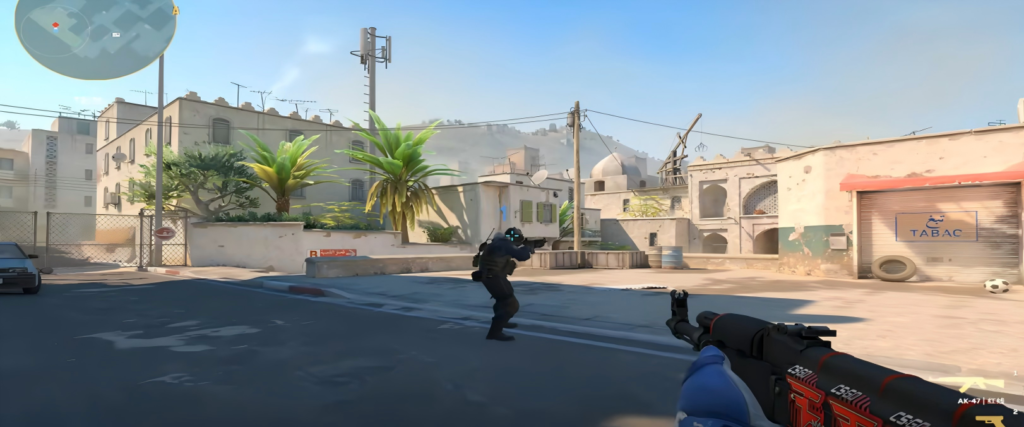
Here is the hard truth I had to learn: most missed shots are not a sensitivity problem — they are a mechanics problem.
I have seen a player switch from 0.85 to 1.05 and hit the exact same score on the first try. If changing your sens by 20% does not change your results, your sens was never the issue. The issue is your movement, your crosshair placement, or your timing.
Once you find a sens in the pro range (0.8-1.35) that passes both tests above, stop tweaking and start practicing. Your muscle memory will adapt in 2-3 sessions. Keep changing it and you will never build consistency.
One More Thing: Your Mousepad Changes Your Sens
This surprised me: a dirty or worn mousepad effectively lowers your sensitivity because friction increases. The same 1.0 sens on a fresh pad vs a 3-month-old pad feels completely different. Clean your pad regularly. If it is worn out, replace it.
Related guides: Check out donk’s full settings, NiKo’s full settings, or the complete CS2 settings guide.
Quick Reference
Pro sensitivity range (800 DPI equivalent): 0.8 – 1.35 in-game
Step 1: 180-degree turn test to find your rough range
Step 2: Crosshair follow test to fine-tune
Crosshair match: Lower sens → tighter gap. Higher sens → wider gap.
Once it feels right, stop changing it. Your skill comes from practice, not from finding the magic number.